
YouTube Script Generator
Help us improve by giving feedback on the output!
Thank you for your feedback!
And Share it if you loved it!
Share via
Liked the output? Join the AI Enthusiasts WhatsApp Community.
Join NowCreating engaging content on YouTube becomes much easier with a dedicated script generator at your fingertips.
Let’s dive into how to use the YouTube Script Generator step by step:
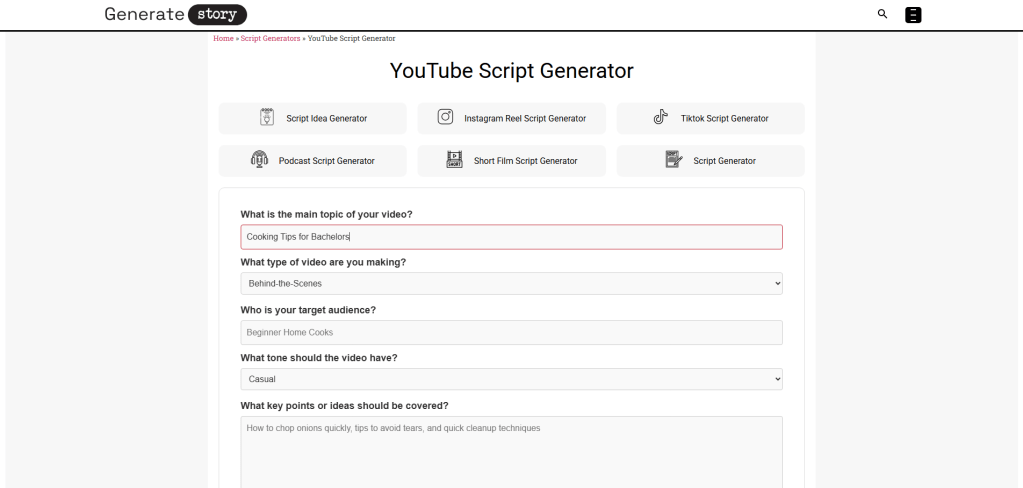
- What is the main topic of your video? In this field, you’ll specify the central theme of your video. For instance, if you’re sharing ‘Cooking Tips,’ just type that in.
- What type of video are you making? Here, choose from a dropdown list that includes options like ‘Tutorial,’ ‘Vlog,’ ‘Product Review,’ or ‘Educational.’ This selection helps shape the script’s tone and structure.
- Who is your target audience? Describe who the video is intended for. An example might be ‘Beginner Home Cooks’ or ‘Tech Enthusiasts.’ This helps create a connection with viewers.
- What tone should the video have? Select a tone from the dropdown options, such as ‘Humorous,’ ‘Serious,’ or ‘Casual.’ The right tone sets the mood for your content.
- What key points or ideas should be covered? Use this space to outline the essential topics you’re going to discuss, like ‘How to chop onions quickly, tips to avoid tears, and quick cleanup techniques.’
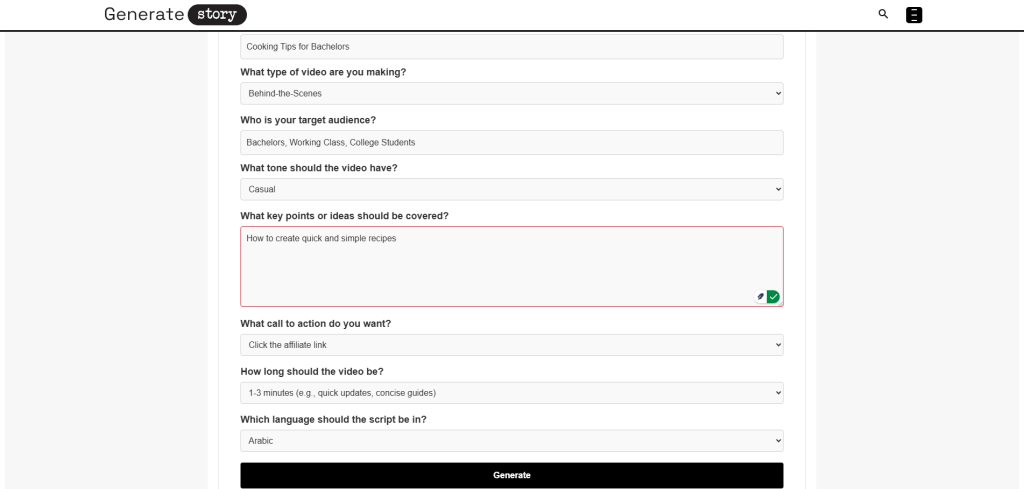
- What call to action do you want? Choose from options like ‘Like the video,’ ‘Subscribe to the channel,’ or ‘Comment below.’ This encourages viewer interaction.
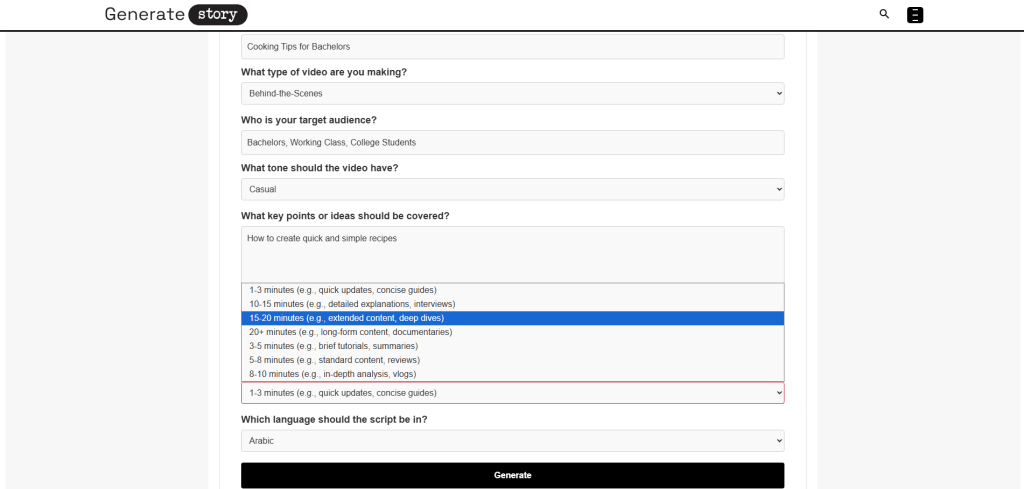
- How long should the video be? Pick a duration from the options given, such as ‘3-5 minutes’ for brief tutorials or ’10-15 minutes’ for detailed interviews. This keeps your content focused.
- Which language should the script be in? Finally, select a language from the dropdown, with choices like ‘English,’ ‘Spanish,’ or ‘Mandarin Chinese’ to suit your audience.
Once you fill out these fields, the tool generates a dynamic script tailored for your YouTube content, providing strong intros, engaging flow, and strategies for audience retention.
Let’s get into what makes this generator tick and how it works technically.
Contents
ToggleWhat is a YouTube Script Generator?
A YouTube script generator is an AI-powered tool that creates structured video scripts specifically designed for YouTube’s platform. It helps content creators produce engaging narratives with strong hooks, clear messaging, and audience retention strategies tailored to YouTube’s algorithm requirements.
The generator works by analyzing your video topic, target audience, desired tone, and key talking points to build a complete script framework. It incorporates proven YouTube best practices like front-loading engaging content in the first 30 seconds and strategically placing calls to action throughout the video. This approach aligns with YouTube’s algorithm preferences for viewer retention and engagement metrics.
These tools can generate various script formats, including tutorials, vlogs, and product reviews, adapting to different video lengths and languages. They often work alongside other content creation tools like video script generators and ad script generators to provide comprehensive support for digital content production. The technology draws from current video marketing trends that emphasize short-form, captioned content optimized for maximum reach and visibility on platforms like YouTube Shorts and Instagram Reels.
How to Write a YouTube Script Using GenerateStory’s YouTube Script Generator?
Using a YouTube script generator is straightforward once you understand how to provide the right inputs. You start by defining your video’s core elements, and the AI handles the structural heavy lifting, creating scripts optimized for viewer retention and engagement.
Step 1: Define Your Video’s Core Elements
Begin with your main topic and video type selection. The generator needs to know whether you’re creating a tutorial, vlog, review, or other format to apply appropriate scripting conventions. Your target audience definition helps tailor the language and content depth, while tone selection ensures consistency throughout the script.
Step 2: Structure Your Key Content Points
Enter your main talking points or ideas in the content field. This is where you outline what information needs coverage, and the AI organizes these points into a logical flow. The generator structures these ideas using proven YouTube storytelling techniques that prioritize viewer retention, similar to methods used in professional video script writing.
Step 3: Configure Engagement Elements
Select your call to action and video length preferences. The placement and timing of CTAs significantly impact viewer engagement rates, so the generator positions them strategically within your script. Video length selection helps the AI pace your content appropriately, whether you’re creating short-form content under 60 seconds or longer educational videos.
Step 4: Generate and Refine Your Script
After providing all inputs, the generator produces a complete script with an introduction, main content sections, and a conclusion. You can then review and edit the output, adjusting language or flow as needed. The tool supports multiple languages, making it useful for creators targeting international audiences or working with translation teams.
Many creators use this alongside other script tools like video script generators and play script generators when producing content across different platforms. The generated scripts follow current best practices for YouTube content, including strong opening hooks and audience retention strategies that align with what works well in today’s video landscape.
Why Use GenerateStory’s YouTube Script Generator?
Let’s talk about why a YouTube script generator matters for content creators. Creating engaging videos consistently is challenging, especially when you’re managing everything from filming to editing. The script forms the foundation of your content, and getting it right affects everything from viewer retention to algorithm performance. This tool helps bridge the gap between your ideas and YouTube’s demanding content requirements.
Optimize for YouTube’s Algorithm
YouTube’s algorithm prioritizes content that keeps viewers watching. The generator builds scripts with strong hooks in the first 30 seconds, strategic pacing, and retention-friendly structures. This aligns with current trends where short-form videos under 60 seconds dominate platforms, making them crucial for audience engagement. The tool incorporates these algorithmic preferences directly into your script’s foundation.
Maintain Consistent Content Quality
Producing regular content while maintaining quality is a common struggle. The generator ensures your scripts follow proven storytelling structures and engagement techniques every time. Whether you’re creating tutorials, vlogs, or product reviews, it applies consistent formatting and pacing. This reliability helps build audience trust and improves your channel’s overall performance metrics.
Save Time on Script Development
Writing scripts from scratch consumes valuable time that could be spent on filming or editing. The generator streamlines this process by handling structural elements and formatting. You provide the core ideas, and it organizes them into a coherent narrative flow. This efficiency becomes particularly valuable when you’re managing multiple videos weekly or working with tight production schedules.
Enhance Audience Engagement Strategies
Effective calls to action and audience retention techniques require strategic placement within your script. The generator positions CTAs at optimal moments based on video length and content type. This approach follows modern best practices where clear, specific calls to action significantly impact engagement and channel growth. The tool helps implement these strategies without requiring deep expertise in video marketing psychology.
Adapt Content for Different Audiences
Creating content that resonates with specific viewer groups requires tailored language and approach. The generator adjusts scripting based on your target audience definition, whether you’re addressing beginner home cooks or advanced tech enthusiasts. This customization extends to tone selection, ensuring your video’s personality matches both your content and your audience’s expectations.
Support Multi-Format Content Creation
Many creators produce content across different platforms and formats. The generator’s flexibility with video types—from tutorials to storytime videos—makes it useful for diverse content strategies. You can maintain consistent quality while adapting to different formats, similar to how specialized tools like ad script generators help with specific advertising content needs.
The strategic value extends beyond just script writing. As noted in content strategy resources, understanding your audience and creating relevant content are essential for growing a loyal following. The generator supports this by helping tailor your messaging and structure to viewer preferences, which contributes to long-term channel success.
Frequently Asked Questions
What types of YouTube videos can the YouTube Script Generator create?
The YouTube Script Generator handles various video formats including tutorials, vlogs, product reviews, educational content, comedy sketches, and interviews. It adapts its scripting approach based on your selected video type, applying format-specific conventions and structural requirements for each category.
How does the YouTube Script Generator improve audience retention?
The YouTube Script Generator incorporates proven retention strategies like strong opening hooks within the first 30 seconds, strategic pacing throughout the content, and optimal call-to-action placement. These elements work together to maintain viewer interest and align with YouTube's algorithm preferences for watch time and engagement metrics.
Can the YouTube Script Generator work with multiple languages?
Yes, the YouTube Script Generator supports script generation in multiple languages including English, Spanish, French, German, Portuguese, Arabic, Russian, Japanese, and Mandarin Chinese. This feature helps creators targeting international audiences or working with translation teams for global content distribution.
How specific should my content points be when using the YouTube Script Generator?
Provide clear, specific talking points rather than general topics. For example, instead of "cooking tips," list actual tips like "how to chop onions quickly" or "ways to avoid tears while cutting onions." The YouTube Script Generator uses these detailed inputs to create more targeted and valuable content structures for your audience.
Does the YouTube Script Generator consider video length when creating scripts?
The YouTube Script Generator adjusts content pacing and structure based on your selected video duration. It understands the different requirements for short-form content (1-3 minutes) versus longer educational videos (15-20 minutes), ensuring appropriate content density and natural stopping points for each length category.

A Ph.D. in English Literature from UMass Amherst with over 8 years of academic research experience, Ruth founded GenerateStory.io to bridge traditional story writing with AI-powered storytelling tools. She specializes in helping writers create compelling stories by combining her expertise in literary analysis with innovative technology solutions.
